
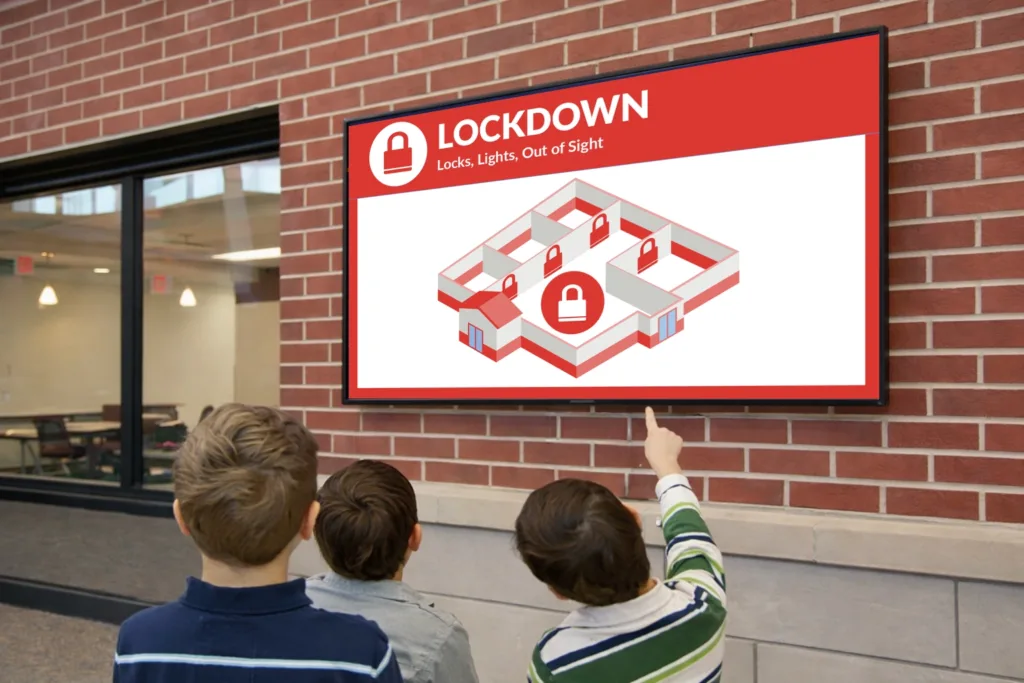
What is school digital signage? School digital signage is a centralized network of dynamic screens used to broadcast daily announcements, emergency alerts, and multimedia content across a campus. Implementing digital signage software for schools replaces outdated bulletin boards with real-time, visual communication that actually captures attention—in fact, digital signage can capture up to 400% more views than static signs.
In a post-pandemic world, schools face a critical need to inform students quickly, efficiently, and safely. With nearly 30 years of experience, Arreya is a leading provider of digital signage solutions built for the realities of K-12. We provide tools that remove friction, allowing non-technical staff to publish updates from anywhere in minutes. Let’s explore how upgrading your campus communication can transform your school community.
Why Schools Are Rapidly Adopting Digital Signage Software
Why are districts moving away from paper? Schools are rapidly adopting digital signage systems because it radically improves communication efficiency, modernizes school campuses, and creates a more professional environment for staff and students. In fact, approximately 62% of schools report improved communication efficiency after implementing digital signage systems.
- Driving Student Success: Engaging digital displays do more than just inform. Schools using digital signage have reported up to a 10% increase in standardized test scores and a 5% increase in attendance by keeping students highly engaged.
- Going Green with Sustainable Communication: The transition from paper-based communication to digital signage streamlines your processes while supporting sustainability efforts. It drastically reduces the environmental impact associated with traditional newsletters and flyers.
- Reaching Digital-Native Students: Static displays often fade into the background. Bright, dynamic digital displays engage students and leave a lasting impression.
- Emergency Readiness: Modern signage for schools is a critical component of safety, allowing for the immediate broadcast of evacuation instructions and safety protocols.
Core Features Schools Should Prioritize in Digital Signage Software
The most effective digital signage software for schools must feature easy content creation, multi-screen management, role-based permissions, and robust emergency overrides. Arreya offers an enterprise-quality platform designed so non-technical staff can manage everything seamlessly.
Centralized Cloud Management & Anywhere Access
How do you manage screens across an entire district? Centralized cloud-based digital signage management allows administrators to update every screen across a district from one web-based dashboard. Because it is cloud-based, users can manage content and posts from any browser and any device, enabling real-time updates across multiple screens from anywhere.
Interactive & Outdoor Display Support
Your communication shouldn’t be limited to indoor, passive screens. Interactive displays can function as digital bulletin boards for interactive wayfinding and streamlined visitor registration in your front office. Additionally, managing specialized LED signs is crucial for outdoor visibility, ensuring parents and community members stay informed right from the parking lot.
Easy Content Updates & Freshness
Keeping campus news fresh shouldn’t require advanced technical skills. Your team needs a drag-and-drop design canvas with a low learning curve. Using built-in digital signage templates allows schools to efficiently update content in real-time without bottlenecks.
Role-Based Permissions & Simple Workflows
Delegating tasks ensures daily announcements happen without relying on IT tickets. Role-based permissions allow authorized staff, like principals, librarians, or student club leaders, to update specific zones on your screens securely.
Emergency Alerts & Instant Overrides
When school safety is on the line, quick announcements are paramount. Your software must include emergency notifications that instantly override all scheduled content, pushing critical safety information campus-wide with zero lag.
Integrations That Make School Workflows Actually Work
Effective digital signage solutions for schools integrate directly with the tools your staff already uses, eliminating double-entry and ensuring seamless automation.
- Calendars (Google & Outlook): Automatically sync event schedules so screens always promote events without manual updates.
- Emergency Notification Systems: Tie your digital displays directly into campus-wide alert systems for immediate hardware control during a crisis.
- Design & Presentation Tools: Upload once and publish everywhere. Integrations with Google Slides, Canva, and Dropbox allow teachers to update a slide deck that automatically refreshes on the digital signs.
- Livestream / Video Distribution: Push live assemblies or morning announcements to every hallway screen in real time, turning your existing cameras into a campus-wide communication network.
Content Ideas That Actually Get Used on Campus
The best digital signage content mixes necessary operational information with elements that build school spirit and celebrate the school community, driving improved engagement in education through digital signage.
Fostering Belonging Through Student Recognition
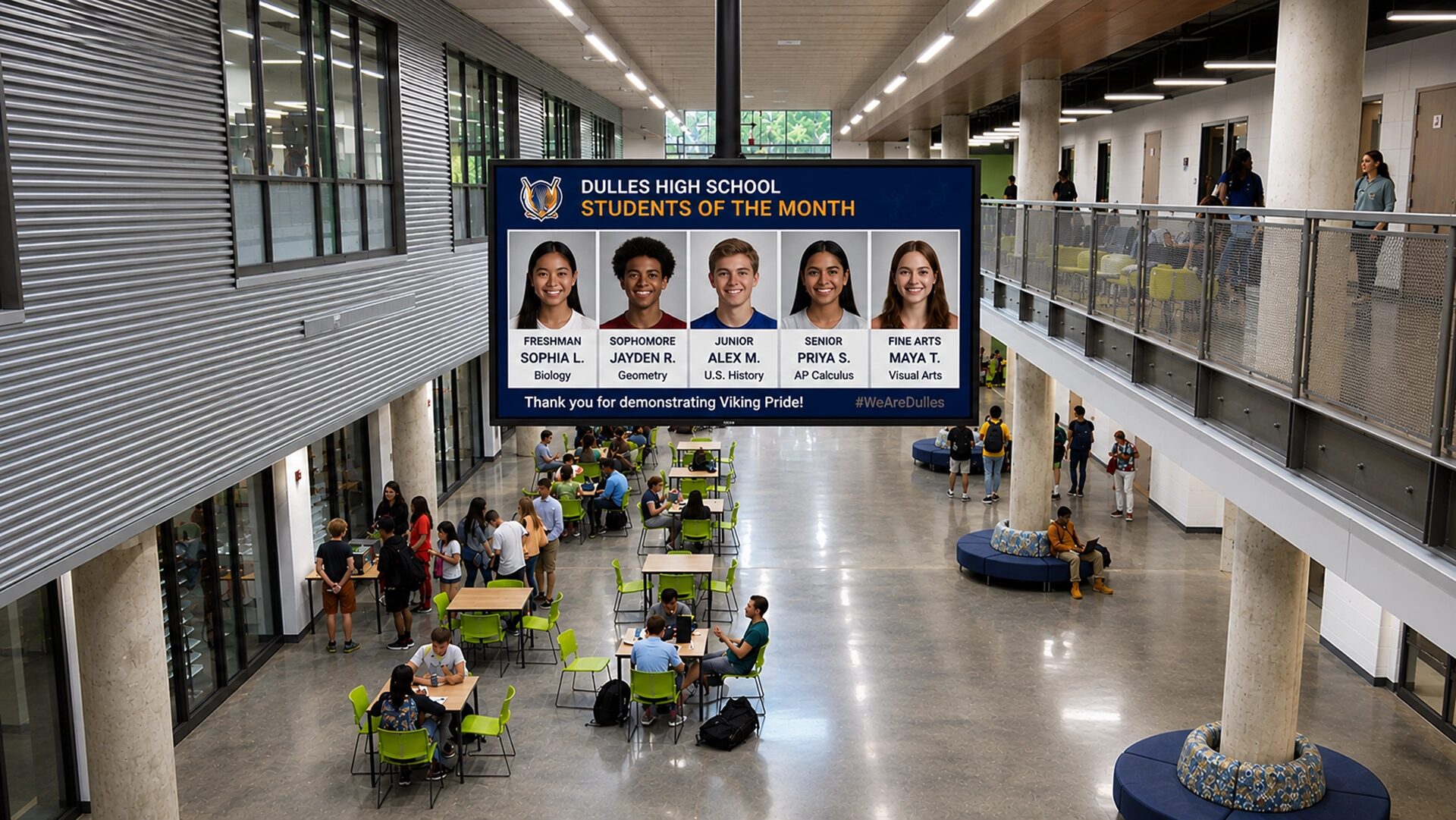
How does digital signage help students? Digital signage can significantly enhance student recognition by providing campus-wide visibility for achievements, which boosts self-esteem and fosters a deep sense of belonging. Use real-time templates to celebrate a variety of student accomplishments well beyond just ‘Student of the Month’, including academic achievements, sports victories, and community service contributions.
Dynamic Event Boards
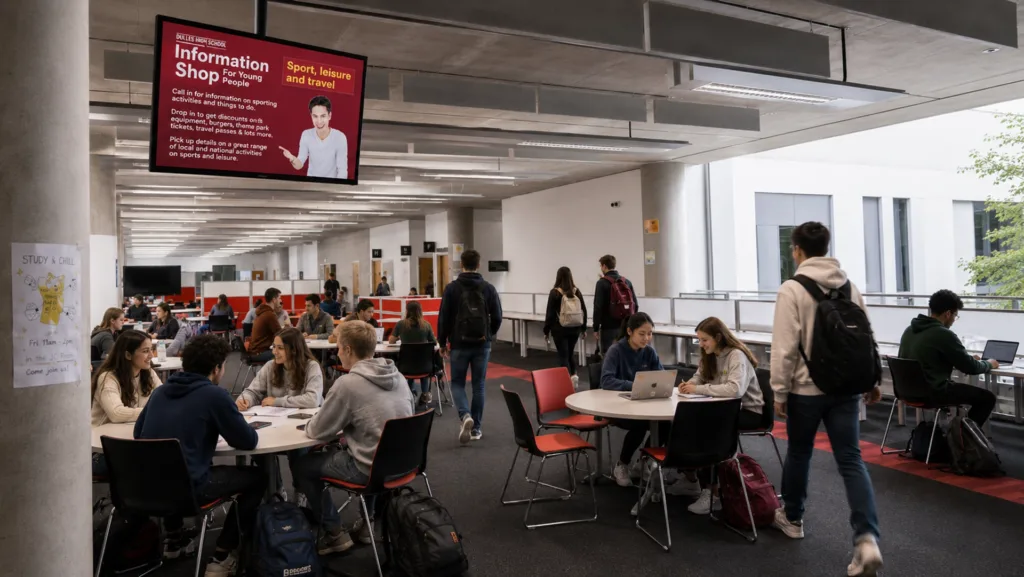
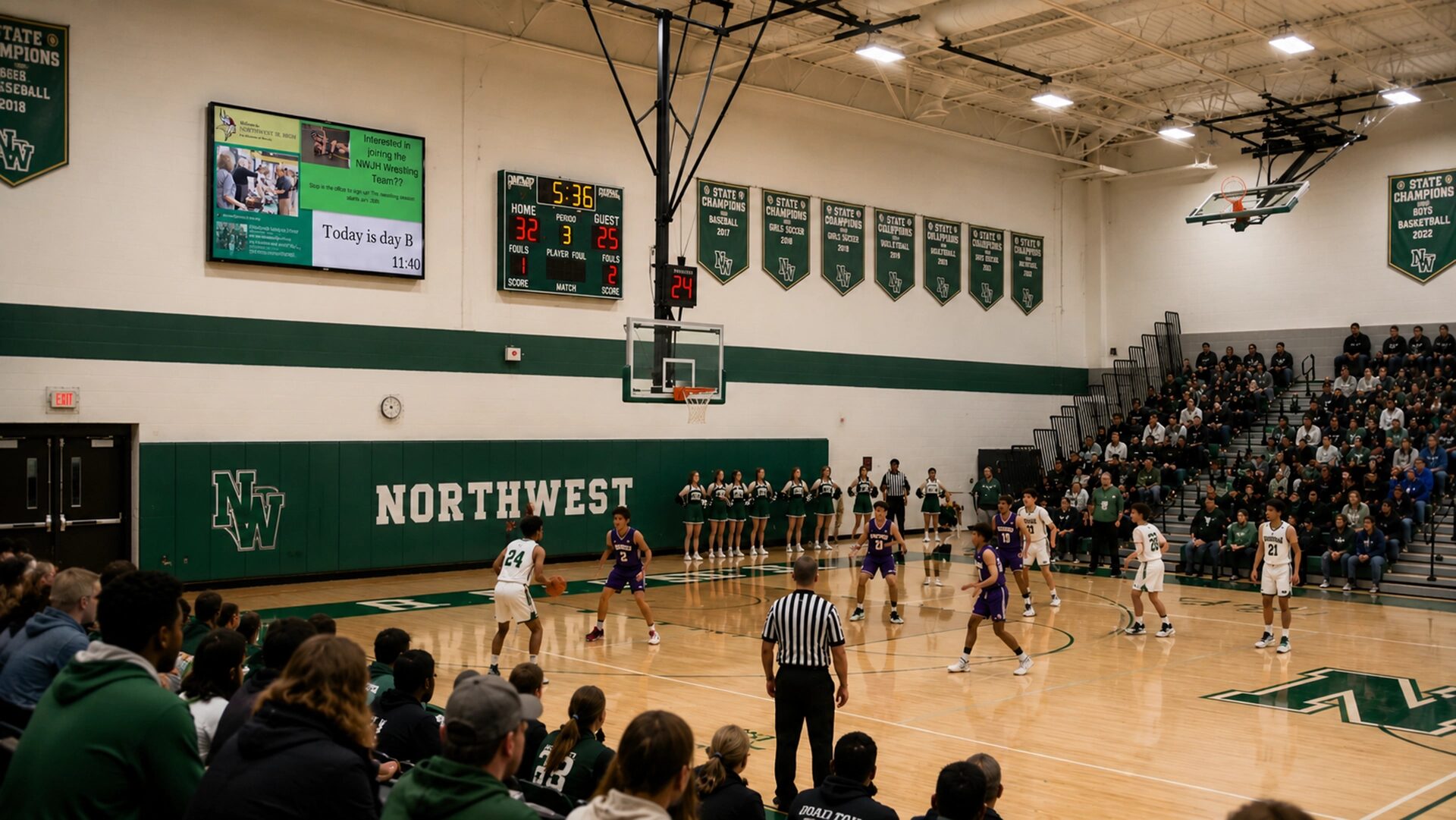
Using digital signage, schools can create dynamic event boards that showcase a comprehensive list of activities happening on campus, one of many ways school districts can use digital signage to streamline communication. It is the perfect medium to promote upcoming events, such as school plays, sporting events, and career fairs, by displaying high-impact announcements and reminders in high-traffic areas of the school.
Cafeterias & Lunch Lines
Cafeteria management can utilize digital signage to display changing daily menus and critical nutritional information. This not only speeds up lunch lines but significantly reduces printing costs associated with laminated signs or paper menus.
| Campus Area | Best Digital Signage Content Ideas | Key Benefits |
|---|---|---|
| Hallways & Common Areas | Wayfinding, school spirit graphics, comprehensive dynamic event boards | Engages students, improves traffic flow, and highlights achievements to build morale. |
| Lobbies & Main Entrances | Visitor registration, welcome messages, daily announcements | Greets prospective students and visitors, ensuring a modern, professional environment. |
| Cafeterias & Lunch Lines | Digital menu boards, nutritional info, QR codes for feedback | Speeds up lunch lines and eliminates daily printing costs. |
| Safety & Daily Operations | Safety protocols, evacuation instructions, severe weather alerts | Keeps the campus secure and delivers important information instantly. |
| (Image Suggestion: Mockup of a digital menu board in a school cafeteria displaying lunch menus, nutritional info, and a QR code, alongside a “Student Athlete of the Week” graphic.) |
How Livestream Capabilities Fit into Everyday School Communication
Campus-wide livestream distribution turns your digital signage into a powerful live broadcast network, reaching students and staff who are already on site.
Livestreaming for schools isn’t just about letting parents watch the Friday night football game from home. It is a vital tool for campus-wide video distribution. Imagine pushing live morning announcements, a high-profile guest speaker session, or graduation overflow to every hallway and lobby screen in real time.
This capability ensures higher attendance, making students and staff in different buildings feel included. It works flawlessly alongside regular signage content via simple scheduling rules. With Arreya, it is plug-and-play with existing school cameras, offering bandwidth-friendly options and one-click pushing to selected screens.
Accessibility & Design Best Practices for Schools
School digital signage must prioritize accessibility to ensure all students receive important information clearly and safely.
- The 3-3-3 Rule of Signage: To guarantee your content is effective, follow the 3-3-3 Rule: A viewer should understand the main point in 3 seconds, see fewer than 3 visual elements, and be able to read it from 3 meters away.
- Design for Accessibility: High-contrast colors and legible sans-serif fonts should be used for maximum accessibility. Always provide captions or subtitles on video and livestream content.
- Instant Emergency Overrides: In critical moments, safety information must supersede all other digital signage content instantly. Arreya makes this automatic and accessible, ensuring your campus is protected.
How to Choose the Right Digital Signage Software for Your District
Choosing the right digital signage for education requires evaluating the total cost of ownership, ease of use for non-technical staff, and the reliability of vendor support.
When evaluating vendors, administrators often ask: How much does a school digital sign cost? Costs vary, but you should look for predictable per-screen or site licensing that grows with you. Another common question is: Is there any free digital signage software? While free tools exist, they almost universally lack the security, role-based permissions, and remote multi-screen management that K-12 environments demand.
What’s the best digital signage provider? The ideal partner offers a solution that balances power with simplicity. Here is a quick checklist for your district:
- Ease of Use: Can a teacher update content from any browser without IT help?
- Scalability: Can the centralized cloud management easily handle hundreds of screens and scale digital signage across an entire district?
- Permissions: Does it have robust role-based access for student clubs and authorized staff?
- Integrations: Will it integrate smoothly with Google Slides, emergency alerts, and calendars?
- Support: Does the vendor provide live, US-based tech support?
Conclusion & Next Steps
Upgrading to modern digital signage software for schools transforms your campus by enabling faster communication, safer environments, and more engaged students. By eliminating paper, celebrating student achievements in real-time, and keeping everyone informed through dynamic event boards, your district can finally get everyone on the same page.
From interactive front-office displays to outdoor LED signs, you get everything you need for amazing digital signage from the moment you login to Arreya.
Ready to see how Arreya’s digital signage software works for K-12? Book a 15-minute demo tailored to your campus and discover how easy it is to enhance your school communication.
Looking for inspiration right now? Download our free “K-12 Digital Signage Content Calendar Template” to kickstart your strategy today.